Creating a Blender Scene
In the chat interface, select theblend-1 AI model then upload your image:
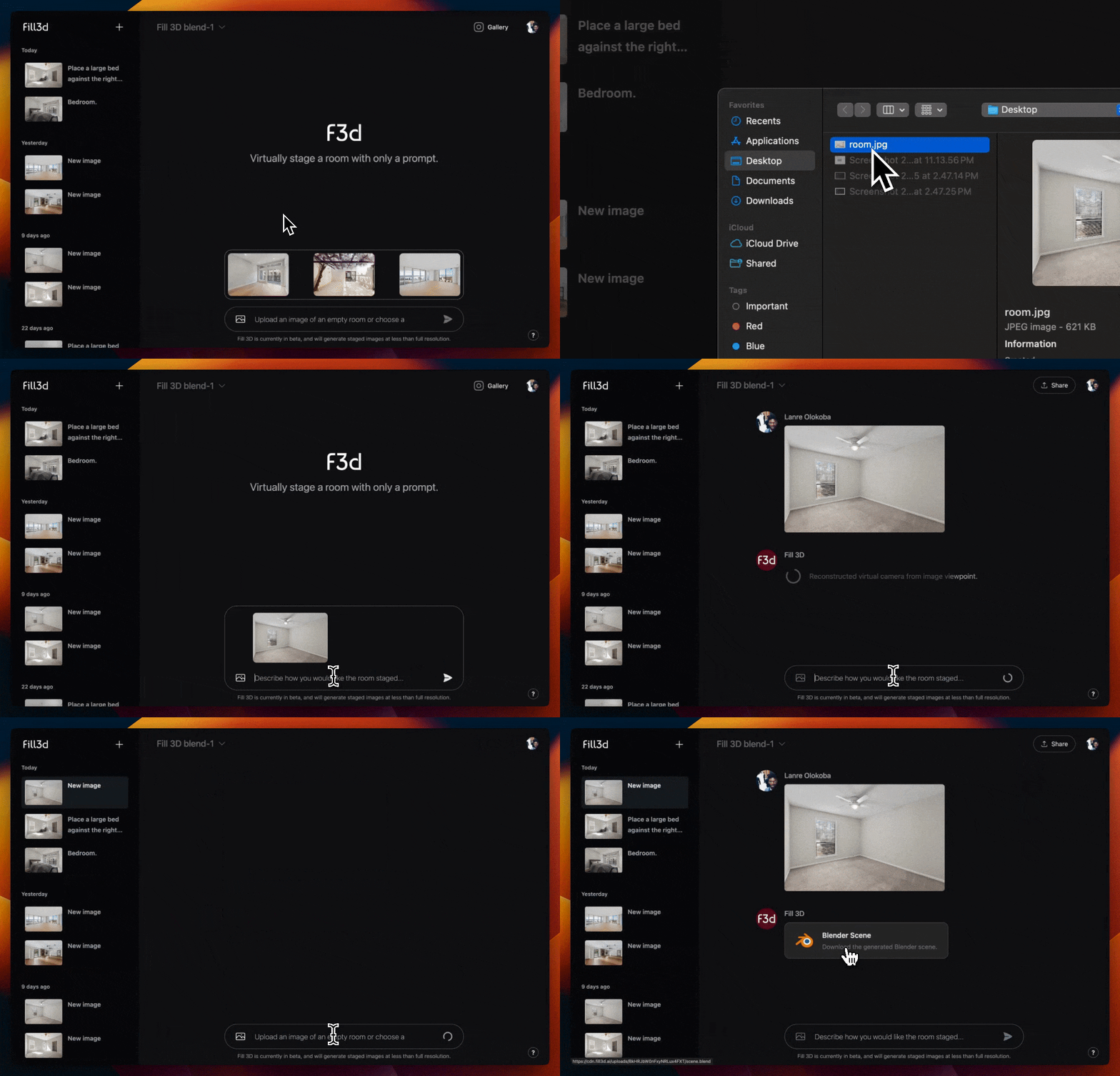 In under a minute, the model will respond with a Blender 3D scene you can download and stage manually:
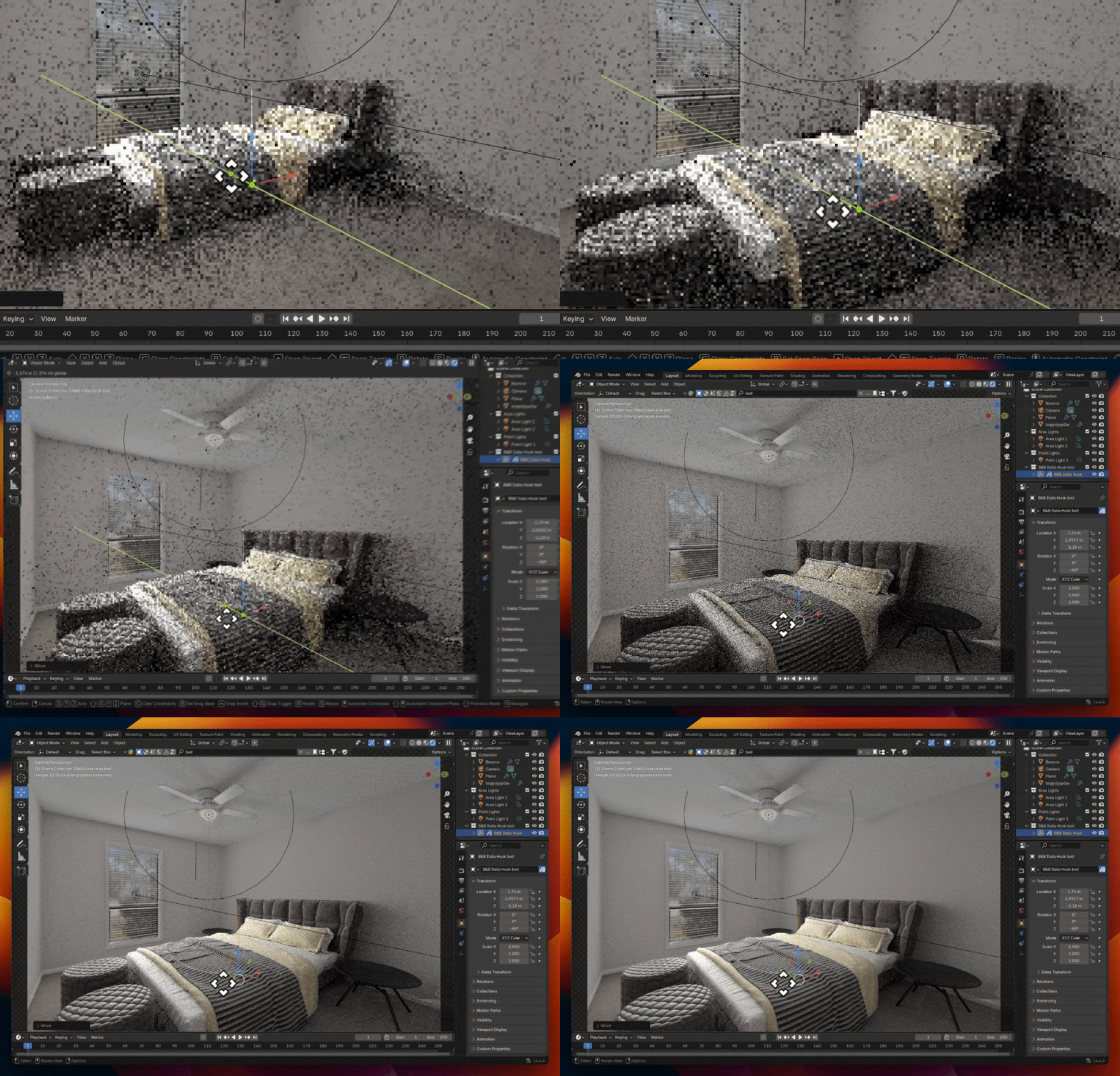
Sharing the Scene
As a real estate professional, you will often outsource your virtual staging tasks to a professional editor. You can significantly reduce costs and save time by sharing the chat and having them download and stage the generated Blender scene: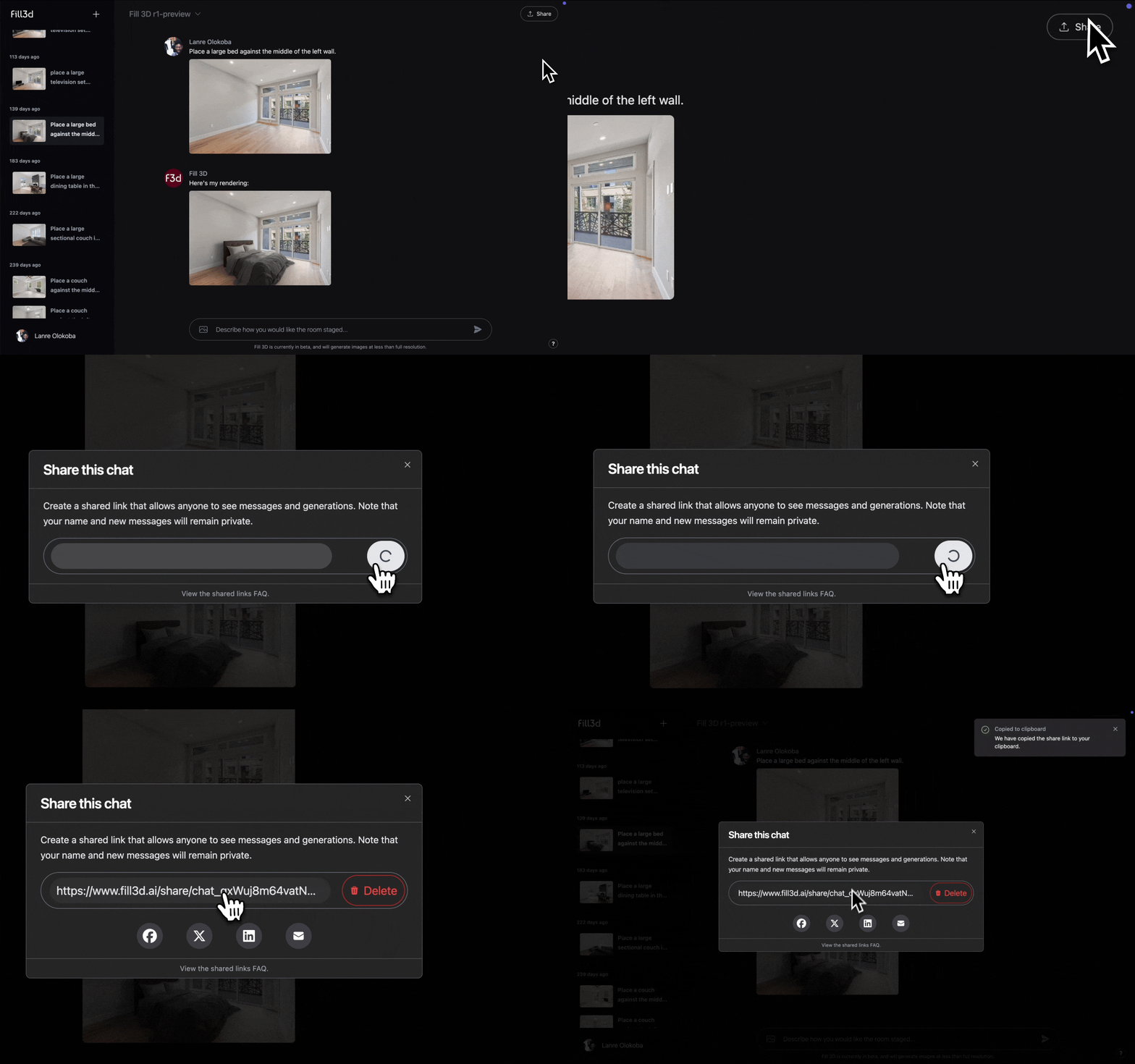
Ensuring the Best Results
To guarantee best results, below are some guidelines for your image:Empty Floors
Empty Floors
The model requires an empty floor plan to properly infer the boundaries of the room.
Ensure that the floor is empty, and that the walls are clearly visible.
We are working on adding support for item removal, which will loosen the requirement for empty floors.
Rectangular Rooms
Rectangular Rooms
The model works best with rectangular rooms. That said, the model will work with rooms of other geometries to varying
degrees.
Good Lighting
Good Lighting
The model requires images with good lighting, because it will mimic the lighting in the 3D scene.
Leveled Camera
Leveled Camera
It is highly recommended to have a leveled camera (e.g. using a tripod) when capturing images so as to maximize
the field of view of the image.