
Authenticating Requests
All requests must be authenticated with an active API key. Generate your API key at fill3d.ai: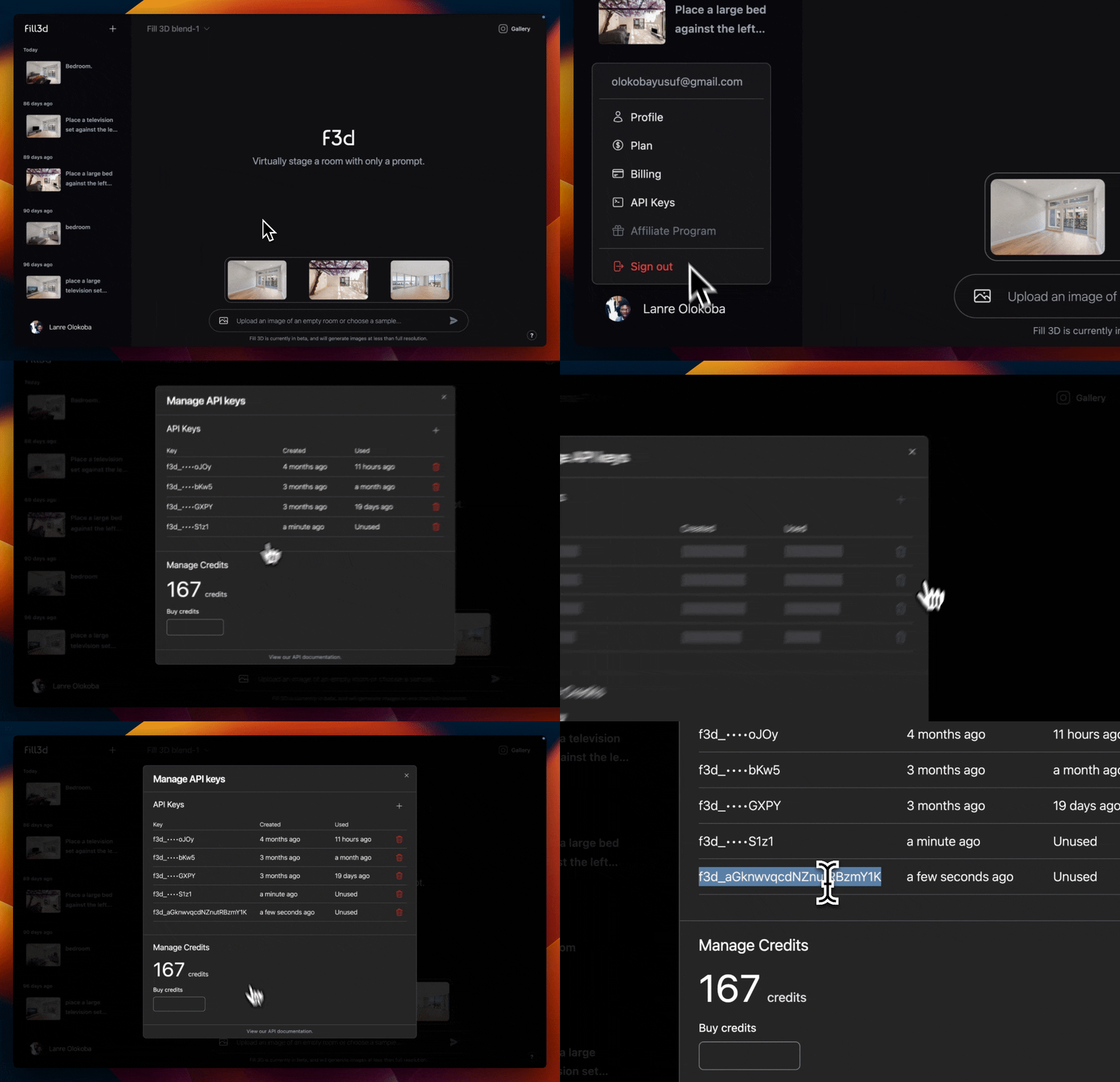 Provide your API key in the
 Authorization header in all requests:
Purchasing Credits
You must purchase API credits to create generations using our API. Head over to fill3d.ai and open the “API Keys” dialog from your user button to view your current balance. [GIF here]Cloning the Starter Project
We offer a starter project that illustrates the Fill 3D API integration workflow, built with NextJS:Clone the Starter Project
Head over to GitHub to clone the starter project. And Make sure to ⭐ us on GitHub!