> ## Documentation Index
> Fetch the complete documentation index at: https://docs.fill3d.ai/llms.txt
> Use this file to discover all available pages before exploring further.
# Introduction
> Virtually stage a room in 1 minute with only a prompt.
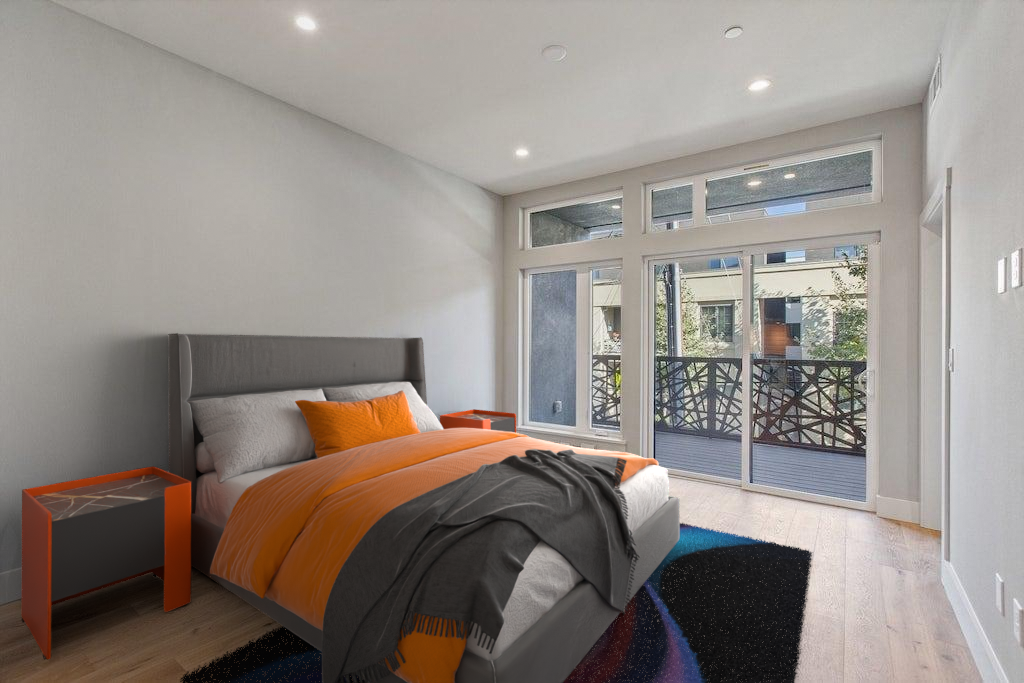 Fill 3D is an AI-powered platform for virtual staging. It is designed to significantly speed up staging
workflows for real estate professionals. Fill 3D can be used in two ways:
1. **3D Reconstruction**. Given an image of an empty room, Fill 3D can generate a 3D scene
in [Blender](https://www.blender.org/) that has accurate geometry, lighting, and materials.
2. **Virtual Staging**. Given an image and a prompt, Fill 3D will reconstruct a 3D model,
place 3D furniture objects based on the prompts, and generate a high-quality output.
Fill 3D's virtual staging model is still in preview. See [How it Works](/how-it-works) for more information.
## Staging your First Image
Head over to [Fill 3D](https://fill3d.ai) and create an account by simply logging in. Next, pick one of the sample\
images, select the 3D reconstruction or staging model, provide a prompt, and press enter!
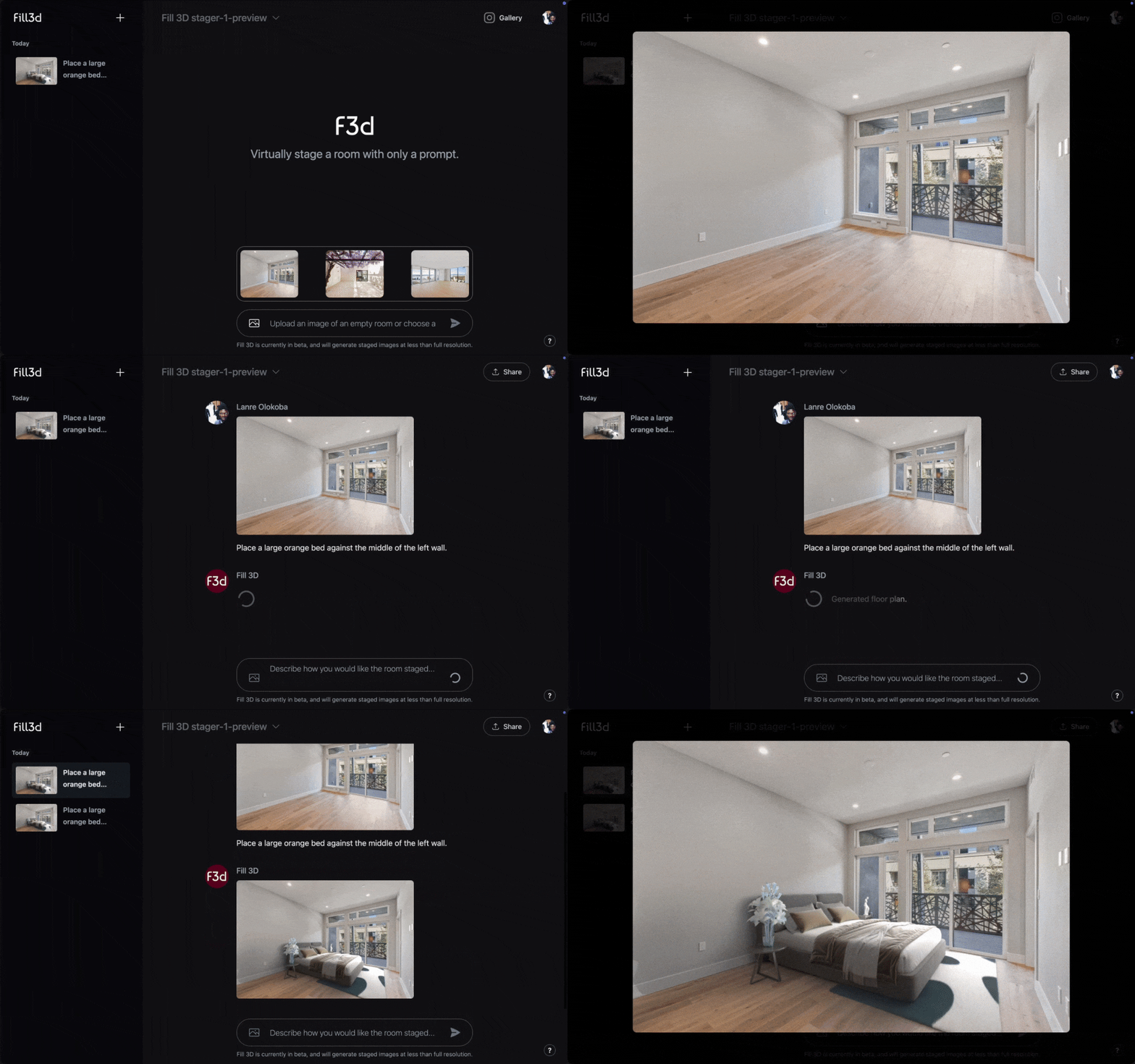
Our `stager-1-preview` virtual staging model is still in preview, and currently only stages
with bedroom furniture. [Learn more](/workflows/staging).
Fill 3D is an AI-powered platform for virtual staging. It is designed to significantly speed up staging
workflows for real estate professionals. Fill 3D can be used in two ways:
1. **3D Reconstruction**. Given an image of an empty room, Fill 3D can generate a 3D scene
in [Blender](https://www.blender.org/) that has accurate geometry, lighting, and materials.
2. **Virtual Staging**. Given an image and a prompt, Fill 3D will reconstruct a 3D model,
place 3D furniture objects based on the prompts, and generate a high-quality output.
Fill 3D's virtual staging model is still in preview. See [How it Works](/how-it-works) for more information.
## Staging your First Image
Head over to [Fill 3D](https://fill3d.ai) and create an account by simply logging in. Next, pick one of the sample\
images, select the 3D reconstruction or staging model, provide a prompt, and press enter!

Our `stager-1-preview` virtual staging model is still in preview, and currently only stages
with bedroom furniture. [Learn more](/workflows/staging).